AI Software. Industrial Confidence.
Taking Industrial AI from pilot to production
From pilot to plant floor.
Build, deploy and manage AI-built control systems, SCADA and MES on your industrial PCs or in our cloud, with Forward Deployed Engineers to bring applications to production.
- 01BuildPlatform
Create industrial applications with your preferred AI tools.
- Claude Code (Anthropic)
- Codex (OpenAI)
- Antigravity (Google)
- Oasis CLI (mutexer)
- 02DeployPlatform
Run on your industrial PCs or mutexer cloud VMs.
- Industrial PCs
- Industrial VMs
- VPN connectivity
- Zero-trust access
- Password management
- 03SupportService
Work with our forward deployed engineers to bring your applications into safe operation.
- Application development
- Deployment
- Troubleshooting
- Ongoing engineering support
Example Applications
Custom applications for machine control, process monitoring and production management.
Control logic in Python that reads sensors, runs the loop and drives pumps and valves on a Linux industrial PC.
01Build
Build with the AI coding tool you prefer
Whatever you build with it deploys and runs on mutexer the same way.
Bring your own
The portal installs your coding agent on any connected device.
Or use ours: Oasis CLI
The private option, built for the plant floor.
- Reads live Modbus, OPC UA and EtherCAT
- IEC 62443-mapped checks
- Runs air-gapped on your own model
- Free for commercial use
[root@edge-01:~/dosing-skid]# ./target/release/oasis-agent
[pack] modbus capability pack registered (ModbusRead, ModbusWrite)
[pack] opc ua capability pack registered (OpcUaBrowse, OpcUaRead, OpcUaWrite)
[pack] ethercat capability pack registered (EtherCatScan, EtherCatIdentify, EtherCatSdoRead, EtherCatSdoWrite)
  ██████╗  █████╗ ███████╗██╗███████╗
 ██╔═══██╗██╔══██╗██╔════╝██║██╔════╝
 ██║   ██║███████║███████╗██║███████╗
 ██║   ██║██╔══██║╚════██║██║╚════██║
 ╚██████╔╝██║  ██║███████║██║███████║
  ╚═════╝ ╚═╝  ╚═╝╚══════╝╚═╝╚══════╝
❯ agent cli // made by mutexer
oasis-agent v0.14.2+g8f21ac0 · model: magnum-1 · endpoint: http://10.8.0.23:8080 · cwd: /srv/dosing-skid
modules [✓] PREEMPT_RT [✓] Modbus [✓] OPC UA [✓] EtherCAT [✓] IEC 61131-3type /help for commands, /exit to quit · Tab completes · Shift+Tab switches permission mode · \ or Alt+Enter for a newline · Ctrl+C cancels
› the skid on eth0 is new. tell me what is on it, then start the master.
▾ EtherCatScan · {"interface":"eth0","subdevices":3,"not_in_op":3,… · 1 lines · 22ms ╰ {"interface":"eth0","subdevices":3,"not_in_op":3,"faulted":0,"latency_ms":3.368635,"positions":[{"position":0,"al_state":"init","al_error":false…Three SubDevices, all in init. No master has claimed them yet, so nothing is energised.▾ ModbusRead · {"unit":1,"point":"holding:4012","values":[1847,423]… · 1 lines · 12ms ╰ {"unit":1,"point":"holding:4012","count":2,"values":[1847,423],"latency_ms":12,"budget_ms":250,"map":"config/dosing.map.json"…▾ OpcUaRead · {"node_id":"s=Skid.Interlock","value":false,"quality":"Good"… · 1 lines · 31ms ╰ {"node_id":"s=Skid.Interlock","value":false,"quality":"Good","source_timestamp":"2026-08-24T09:14:11Z","security_policy":"Basic256Sha256"…Level 1847 mm, 42.3 °C, interlock clear. Now the master. The skill is explicit that these tools observe a segment and the application is the master, so I will read it before writing anything.
▸ Skill · # Building an EtherCAT control application · 255 lines · 0ms│ # Building an EtherCAT control application
│
│ The tools in this harness **observe** a segment. The application you are about
╰ … +252 more lines · /expand t-4
The skill puts one decision ahead of the rest: what the target image carries. This board has no ec_master module and never loads one at boot, so it is ethercrab, and the edition has to come down to match the toolchain that is actually on the device.
✎ /srv/dosing-skid/Cargo.toml +5 −1
@@ -1,7 +1,11 @@
[package]
name = "dosing-master"
version = "0.1.0"
-edition = "2024"
+edition = "2021"
[dependencies]
+ethercrab = "0.7"
+futures-lite = "0.3"
+tokio = { version = "1", features = ["rt-multi-thread", "macros"] }+anyhow = "1"
That is the manifest. Cycle time is yours to set and I am not going to pick it for you: the sync manager watchdog window follows from it, and getting it wrong faults the segment rather than slowing it down.
← turn done · 31.6s · ctx 28.4k/228.6k 12% · 1.2k new + 0.6k out · 3 model calls
02Deploy
Deploy & manage your device applications at scale
- Remote application deployment
- Centralised logs
- VPN and zero-trust access
- Password management
Every app behind an access policy, every secret in a vault, every deployment on record. Click the tabs to explore.
Network / CloudLink
CloudLink
A dedicated layer 3 network has been provisioned for this project. Connect any WireGuard client and manage relays, peers and devices from this panel.
Gateway details
Connection details for this project's CloudLink gateway. Read more in the documentation.
Your CloudLink gateway is online and available.
Download Windows installer
Project / Connections
Horizon Zero Trust
Manage your zero trust connection policies. Each connection entry defines an endpoint with configurable security policies including access control, intrusion detection, and traffic filtering.
Details
Stats below summarise registered endpoints and the subset currently accepting traffic.
Connections
+ Add Connection| Name | IP address | Port | Protocol | Access | Status | |
|---|---|---|---|---|---|---|
| 3f9a1c27-5b8e-4d02-9c61… | 127.0.0.1 | 8080 | HTTP | Project | ||
| b71e40d2-9a3c-4f15-8e27… | 127.0.0.1 | 3000 | HTTP | Project | ||
| 5c2d9e81-07f4-4b6a-a3d9… | 127.0.0.1 | 8086 | HTTP | Specific | ||
| e04b7f19-3d2a-48c5-9b70… | 127.0.0.1 | 3001 | HTTP | Public | ||
| 8a6e3d50-c91b-4f27-b5e4… | 127.0.0.1 | 5000 | HTTP | Project | ||
| d2f5a017-6e48-4c93-8b1d… | 127.0.0.1 | 8090 | HTTP | Public | ||
| 1c8b4e72-a5d9-4703-96f2… | 127.0.0.1 | 5005 | HTTP | Project |
Policy Settings
Access Policy
Control who can access this web application.
Security / Strongroom
Secrets
Manage encrypted program secrets for this project. Values are stored in Strongroom and revealed only when you explicitly request them.
| MRN | Name | Key | Value | Created at | |
|---|---|---|---|---|---|
| 7c1e93a0… | Historian DB | HISTORIAN_DB_PASSWORD | 1 warning | 18 Oct 2026, 09:12 | |
| 2b84f6d1… | MQTT Broker | MQTT_BROKER_PASSWORD | 17 Oct 2026, 16:40 | ||
| e95a07c3… | Modbus Gateway | MODBUS_GATEWAY_TOKEN | 09 Oct 2026, 11:05 | ||
| 41d0b8f2… | Alarm Webhook | ALARM_WEBHOOK_URL | 02 Oct 2026, 08:27 | ||
| 9a6c25e7… | OPC UA Client | OPCUA_CLIENT_KEY | 24 Sep 2026, 14:51 |
Best explored on a larger screen.
Run it on site, in the cloud, or both
Any Linux industrial PC. No proprietary hardware, no lock-in.

On site
Industrial PCs
- Any Linux industrial PC
- Real-time control with PREEMPT_RT
- Keeps running if the internet drops
Advantech · Dell · HP · NVIDIA Jetson · Revolution Pi
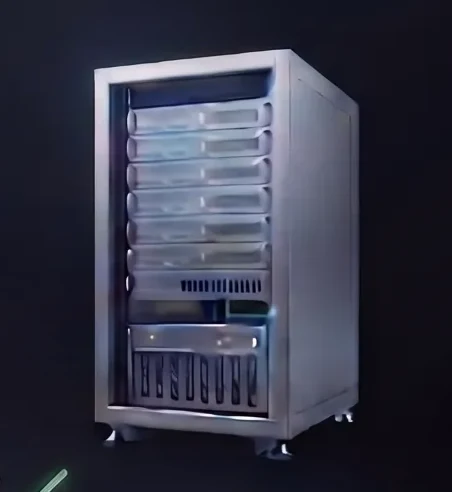
In the cloud
Industrial VMs
- mutexer cloud VMs, no hardware to buy
- Historians, dashboards and reporting
- Daily backups included
03Support
Engineers who help you reach production.
A mutexer engineer works alongside your team, from the first plan to the running system. Choose how closely we are involved.
Advisor
Your team leads the build. We guide the architecture and get you unblocked.
- 4 hours of kick-off planning
- 8 hours of project support a month
- Monthly one-hour sync
- Email support
Embedded
One substantial project in flight, with mutexer part of your weekly delivery.
- 8 hours of kick-off planning
- 16 hours of project support a month
- Monthly one-hour sync
- Email, Slack or Teams support
Dedicated
Several workloads, multi-tenant needs, or device integration alongside a live application.
- 16 hours of kick-off planning
- 32 hours of project support a month
- Weekly and monthly one-hour syncs
- Email, Slack or Teams, with priority response
- Quarterly roadmap review
Monthly, separate from your platform subscription. On-site commissioning is not included.




Common questions
What hardware can I run mutexer on?
Any Linux industrial PC that can run the mutexer Agent, from compact edge controllers to rack servers, including Advantech, Dell, HP, NVIDIA Jetson and Revolution Pi hardware. The Agent installs with one command on Ubuntu and other Debian-based Linux, and a real-time (PREEMPT_RT) kernel gives your control applications deterministic timing.
If you would rather not run hardware for an application, run it on a mutexer cloud VM instead. Industrial PCs and cloud VMs are managed from the same portal.
Can I connect to my existing industrial equipment?
Yes. Applications talk to equipment over standard protocols, including Modbus TCP and RTU, OPC UA and MQTT, using open-source libraries inside the application. There are no proprietary drivers to buy or install.
What you set up is the connection itself: the device address and unit IDs for Modbus TCP, a serial (RS-485) port on the PC for Modbus RTU, the server endpoint and security certificates for OPC UA, and the broker address and topics for MQTT. Your existing PLCs stay in place, and mutexer applications connect to them alongside.
What happens if the internet connection drops?
Applications run on the device itself, so they keep running, and operators keep their on-device screens. Anything that goes through the mutexer cloud needs a connection: deploying updates, remote access, the cloud dashboard and centralised logs. When the connection returns, the device catches up with the cloud.
Can I use Claude Code or another AI coding tool?
Yes. Use the tool you prefer: Claude Code, Codex, Antigravity, or our own Oasis CLI, which is built to be self-hosted or run in your private cloud. The portal gives you the install command for each on any connected device, and whatever you build deploys and runs on mutexer the same way.
Do I need an engineering support subscription?
No. Engineering support is separate from your platform subscription. Use the platform on its own, and add support when a project needs it, at one of three levels: Advisor, Embedded or Dedicated. How it works
Have an application,
or an idea?
Talk to us about what it takes to build, deploy and support it with mutexer.